

App for Facebook Messenger!


Discover how App for Facebook Messenger! elevates your Mac chatting experience with multi-account switching, advanced privacy, and native macOS tools.
A Smarter Way to Chat on macOS
Managing multiple conversations across different accounts can quickly turn your desktop into a cluttered mess. The App for Facebook Messenger! desktop client offers a streamlined solution designed specifically for macOS users who need more control, better privacy, and native system integration. Instead of keeping resource-heavy browser tabs open, this dedicated client brings your chats into a structured, high-performance workspace.
Seamless Multi-Account Management
For social media managers, professionals, or anyone balancing personal and work profiles, the standout capability of this software is its robust multi-account support. You can easily add several profiles and transition between them instantly within a single, unified interface. Organizing your active profiles is as simple as dragging and dropping them to reorder your list, keeping your workflow clean and intuitive.
Privacy-First Architecture
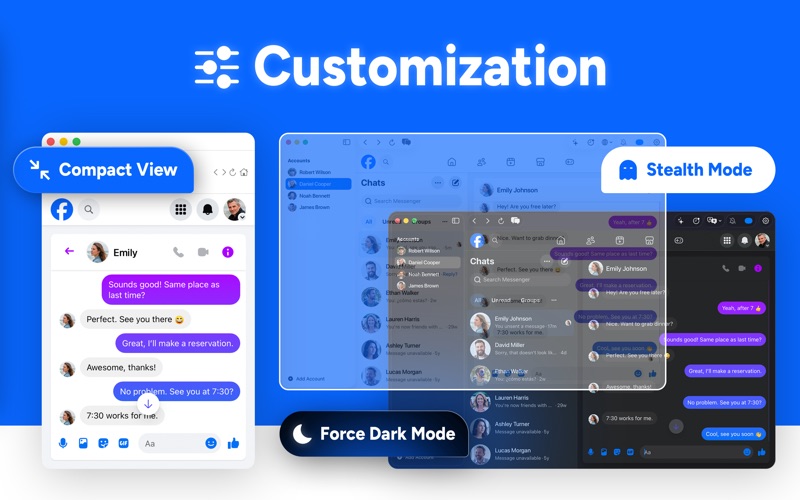
Security is a core pillar of the App for Facebook Messenger! desktop client. Each account you connect operates inside an isolated web container, preventing cross-site tracking and keeping your personal data strictly local. For users who work in shared environments, the built-in Stealth Mode lets you instantly lower the window's opacity with a quick shortcut, keeping your private chats safe from wandering eyes.
Advanced Features for Power Users
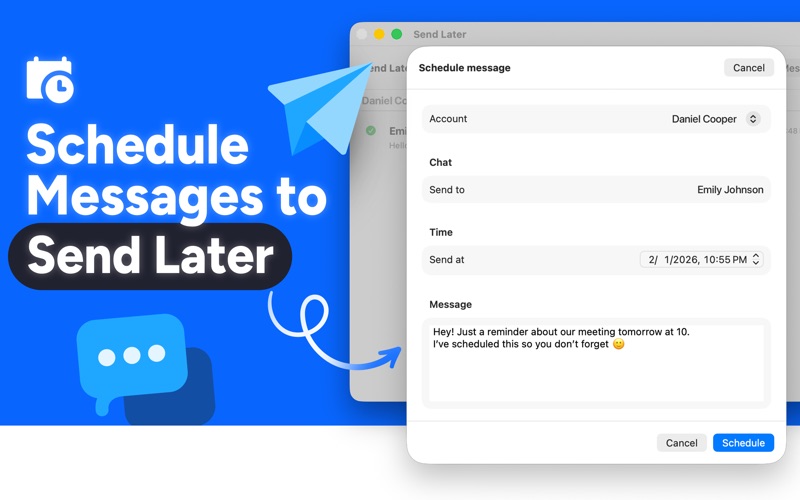
- Smart Message Scheduling: Draft your replies now and schedule them to send automatically at any future time—ideal for bridging time zone gaps.
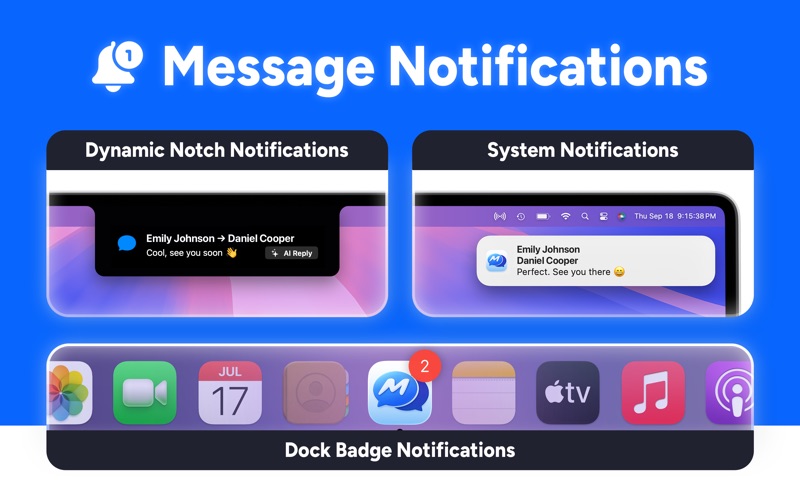
- Dynamic Notch Notifications: Enjoy sleek, non-intrusive alert animations integrated directly around your Mac's camera housing.
- Keep Window on Top: Pin your chat panel above other active applications so you can monitor important discussions while multitasking.
- AI-Powered Tools: Leverage on-device intelligence for automated context-aware drafts and real-time live translations on supported macOS systems.
Is It Right for You?
If you find the standard web interface of Messenger limiting or distracting, this client bridges the gap perfectly. With custom keyboard shortcuts, a space-saving Compact View, and forced dark mode support, it transforms basic messaging into a highly productive desktop experience. It respects your system resources while offering the deep integration that native Mac utility users expect.
To experience this optimized workflow yourself, head over to the official Mac App Store to explore the App for Facebook Messenger! desktop client and elevate your daily communication.